APB Export UI
A web page that converts the result of a proteomics quantification tool into the file a downstream tool opens, and shows quality control before you download it. Conversion runs in the installed APB Export, APB2 and apb-fasta; pMultiQC reports run in apb-pmultiqc.
Try it: apps-dev.bfabric.org/apb-export
The screenshots show a synthetic DIA-NN 1.8.1 report: 600 made-up proteins, six runs, two conditions.
Three steps
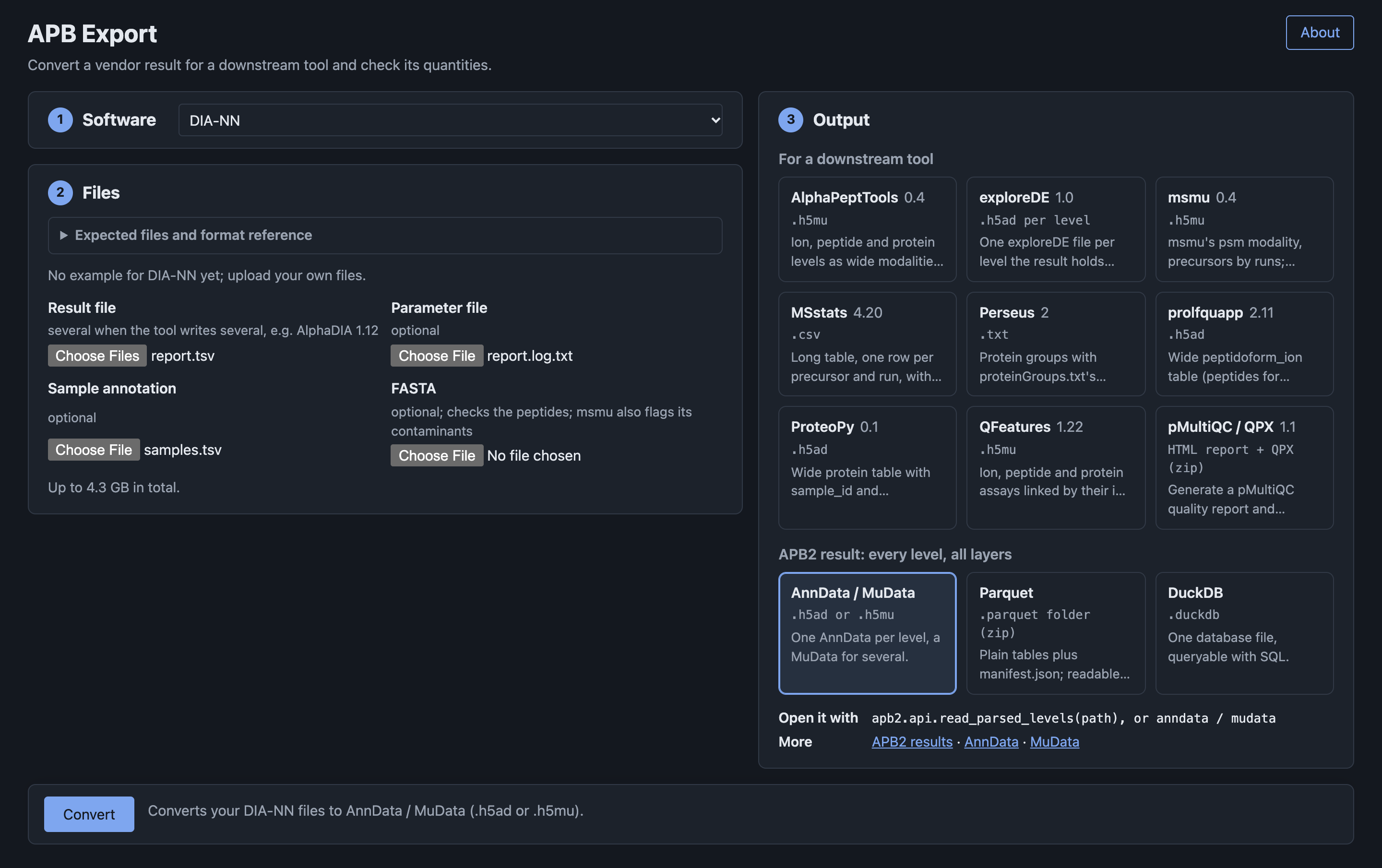
- Software: the tool that wrote the result; the page then lists the files that tool writes
- Files: the result, and optionally its parameter file, a sample annotation (SDRF or prolfquapp table) and a FASTA
- Output: the file a downstream tool reads, or an APB2 result
- Tools: AlphaPeptTools, exploreDE, msmu, MSstats, Perseus, prolfquapp, ProteoPy, QFeatures, pMultiQC / QPX
- APB2 result: AnnData / MuData, Parquet or DuckDB
Quality control
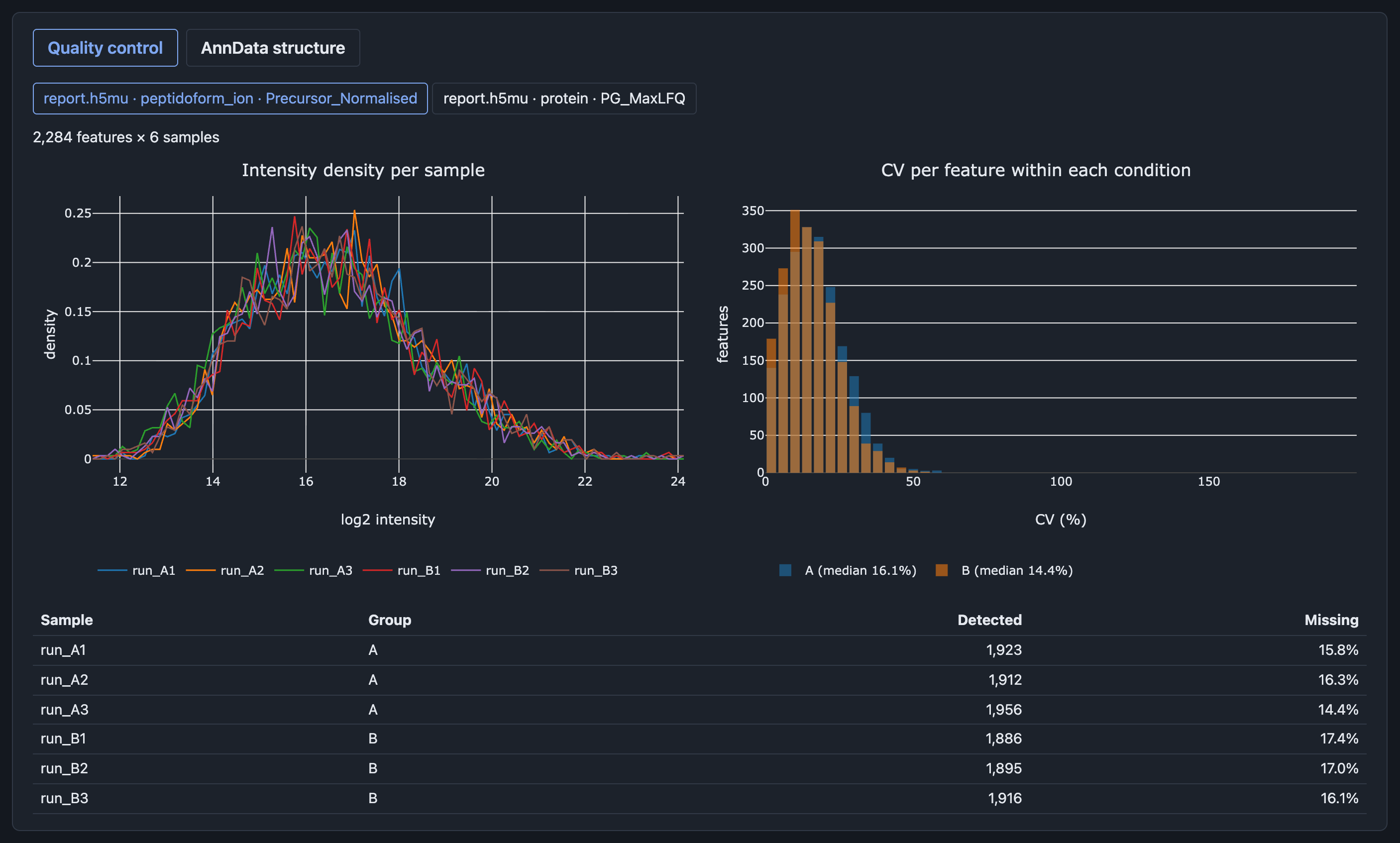
- One tab per level and quantity, such as precursors and proteins
- Intensity density per sample
- CV per feature within each condition of the sample annotation; across all samples without one
- Detected and missing counts per sample
AnnData structure
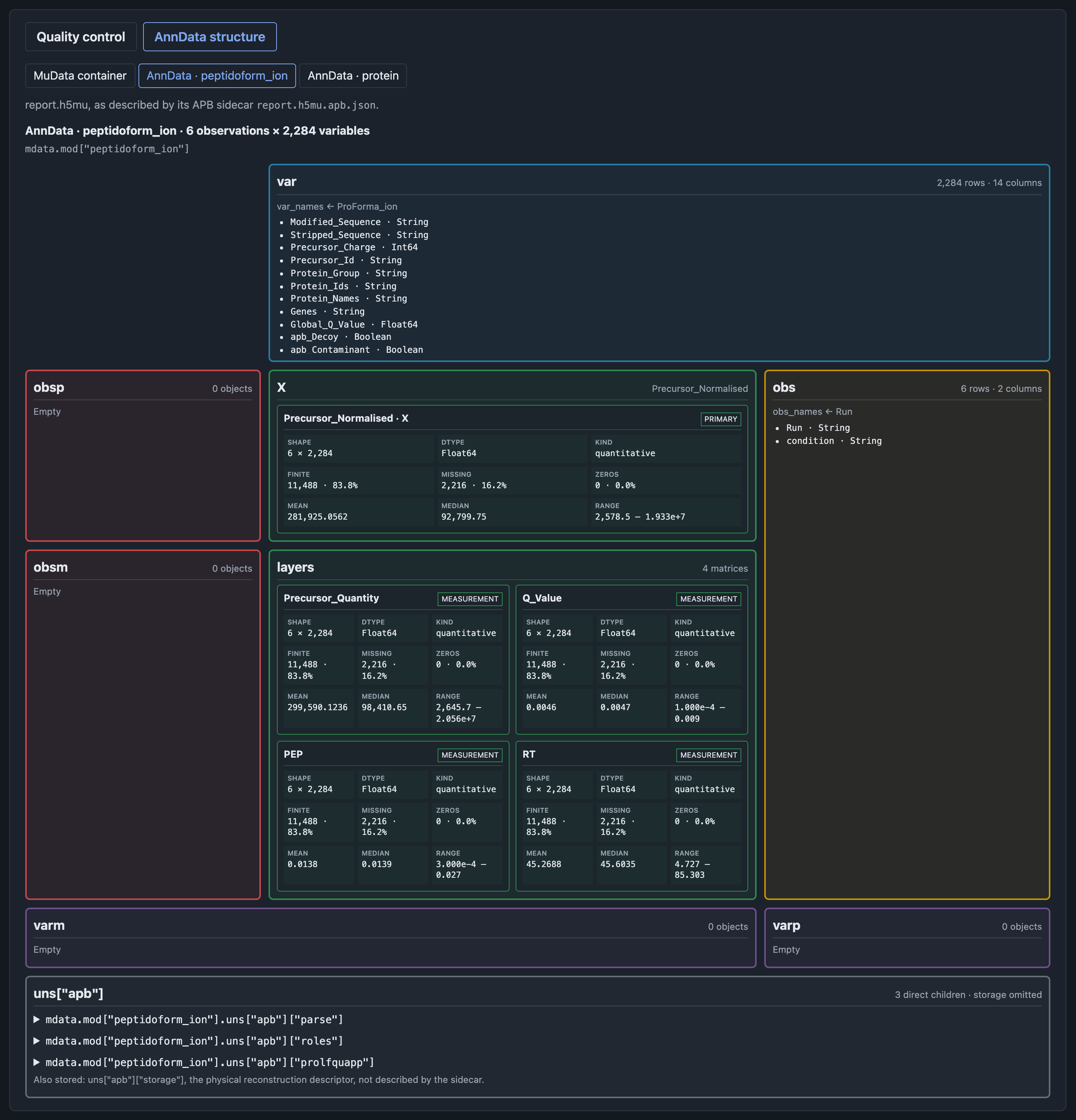
- For H5AD and H5MU results: each AnnData's X, layers, obs, var, aligned slots and
uns["apb"] - Drawn from the APB sidecar
<result>.apb.jsonbeside the result - Each layer shows its shape, type, missing values and range
Run it
uv sync --locked --group dev
uv run --locked apb-export-web examples build
uv run --locked apb-export-web serve
Open http://127.0.0.1:8770. The examples come from APB Studio's fixture store; see Web application.
More
- Web application: uploads, examples, QC and job behavior
- Deployment: image build, migration and rollback
- Dependency policy: immutable APB revisions and deliberate upgrades
- MetaMorpheus example: the complete IonStar table behind the web example